


I did this as soon as I got to the office today at 7am. Decided to restart the computer instead of just restarting Microsoft programs and so far 3 hours almost and everything still looks as it should.Steps:
1. Launch Excel
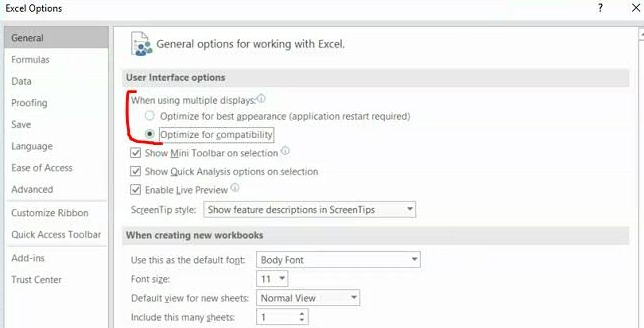
2. Click "Options -> General"
3. Inside 'User Interface options - When using multiple displays" select "Optimize for compatibility"
4. Close Excel
5. Re-launch Controller and test.
No idea if this works … just what Google told me to do.
Thank you for this!


